
Sapphire Nitro Radeon RX 480 4GB Video Card Review
Sapphire Nitro Radeon RX 480 4GB Arrives At $219
The Sapphire Nitro+ Radeon RX 480 4GB video card is finally here! Forget the woes of the AMD Radeon RX 480 reference design as this custom card could possibly solve all the GPU cooler and power concerns may had. The Nitro Radeon RX 480 solves the high temperature and loud noise levels by featuring a large GPU cooler with three copper heatpipes and dual fans. The board designers then placed an 8-pin PCIe power connector instead of a 6-pin to ensure the Polaris GPU on the RX 480 is getting all the power it needs and then some. At $20 more than the reference design ($199) it looks like Sapphires Nitro Radeon RX 480 was a God send and could be the Radeon RX 480 to own.
When shopping for an AMD Radeon RX 480 graphics card youll find that there are 4GB and 8GB versions available and that core and memory clocks on the 4GB cards will vary between manufactures. The AMD Radeon RX 480 8GB reference design was clocked at 1266MHz boost with 8Gbps memory speeds while the AMD Radeon RX 480 4GB reference card featured the same core clock, but uses 7Gbps or higher memory. This means it is up to AMDs board partners to set the clock speeds. On the Sapphire Nitro Radeon RX 480 4GB it is factory overclocked to 1306MHz on the core and 7.5Gbps on the memory. The Sapphire Nitro Radeon RX 480 8GB is clocked at 1342MHz on the core and 8Gbps on the memory. Be sure to take a close look at the clock speeds if you have your mind set on the RX 480! Those are of course the default ‘Nitro Boost’ clock speeds, but you can switch to ‘silent’ mode and then both card runs at 1266MHz.
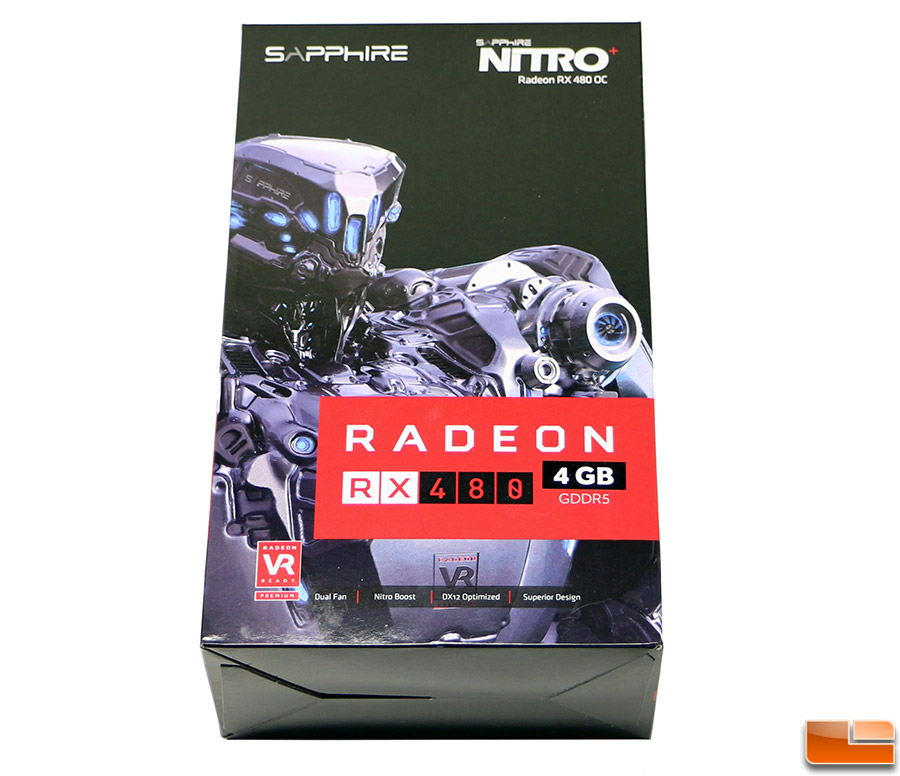
The model that we’ll be looking at today is the Sapphire Radeon RX 480 4GB that is priced at $219, whereas the Sapphire Nitro Radeon RX 480 8GB is priced at $269.
The Sapphire Nitro Radeon RX 480 4GB is a decently sized card that measures in at 240mm x 120mm x 42mm (L x W x H), so at just 9.5-inches in length it should fit in the majority of desktop PCs. Along the top edge of the card the Sapphire logo that features 1customizable RGB lighting thanks to ‘Nitro Glow’ lighting technology. The card uses Sapphire’s popular Dual-X GPU cooler design that continues to be updated as time goes on.
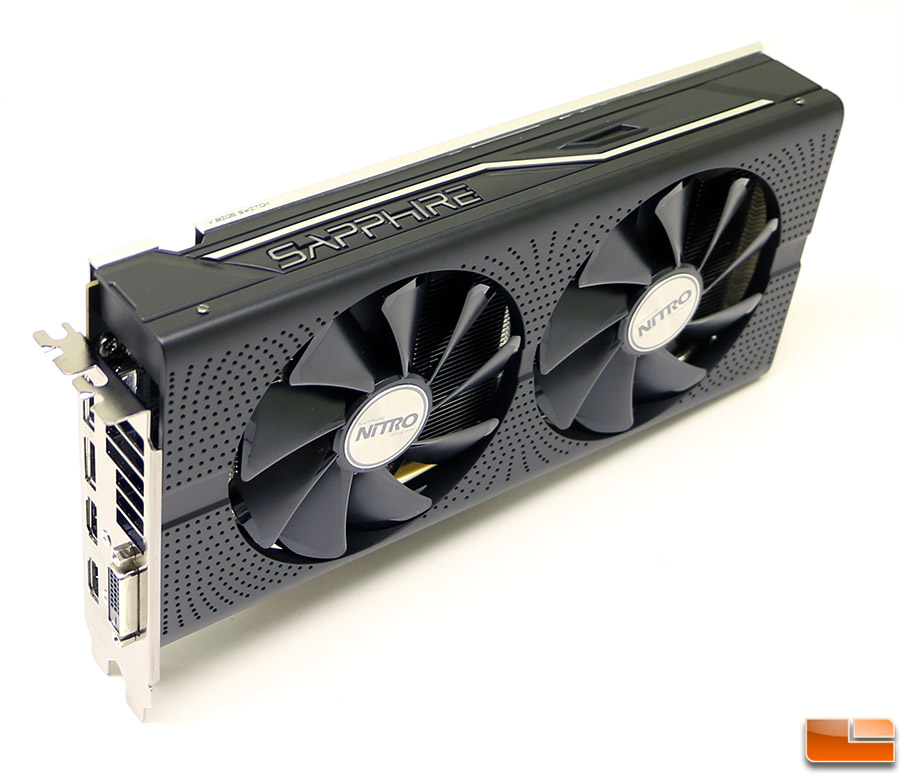
You can even change the colors of the LED, for your own customized design. This can be controlled via software using the latest version of SAPPHIREs Overclocking Utility TriXX 3.0, or through hardware by pressing the red button on the back of the Nitro RX 480 card.
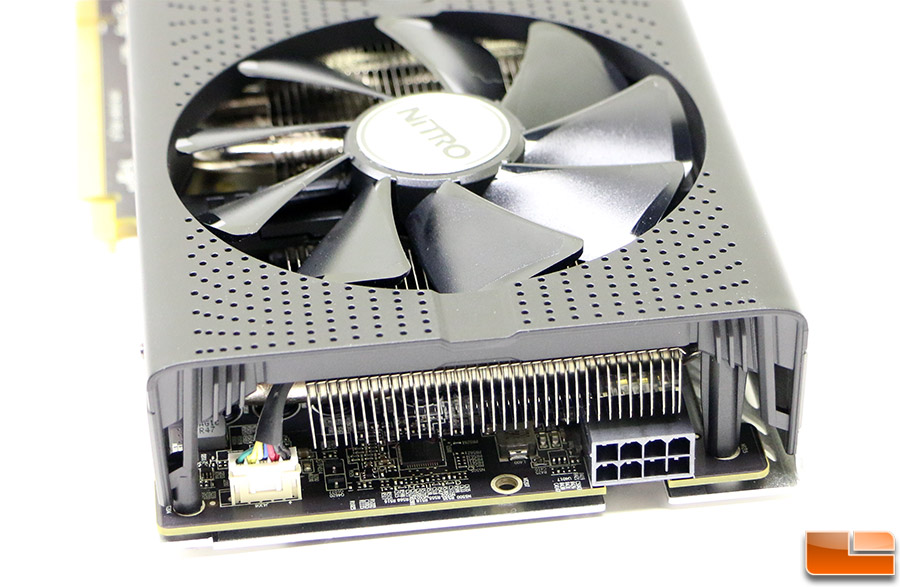
One of the biggest selling features of the Sapphire Nitro RX 480 is the 8-pin PCIe power connector that is located on the end of the card. You can also see one of the 4-pin fan headers of the 95mm cooling fans. Sapphire recommends a 500W or greater power supply for your gaming system with this 150W TDP video card model.
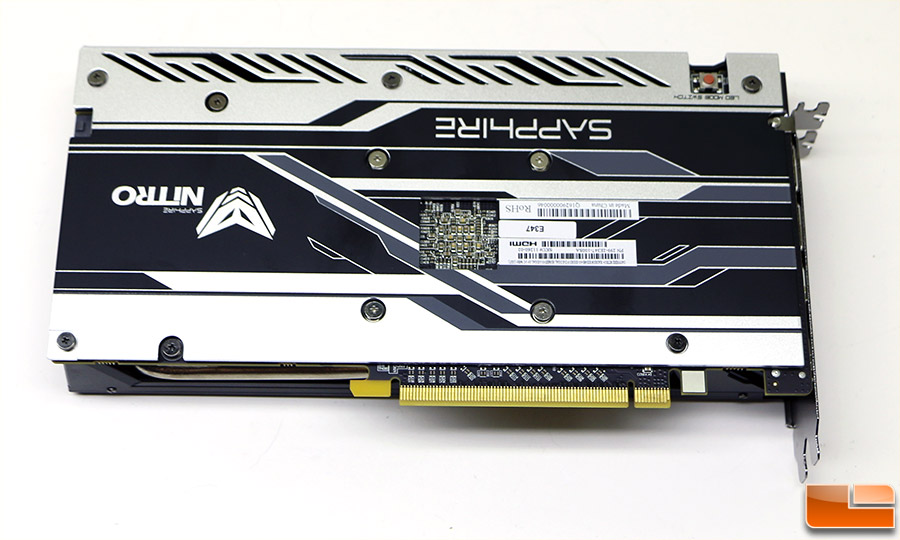
The Sapphire Nitro RX 480 comes with a full coverage black metal back plate to help protect the components on the back of the card and to add rigidity to the card to keep it from looking saggy on the far side of the PCIe x16 slot interface. It also helps keep your card cool as Sapphire did place a thermal pad behind the VRM components, so this should help dissipate some heat away from the hotter parts of the card. Notice that top edge of the backplate has holes cut in it. This is part of the ‘Nitro Free Flow’ system that allows hot air to escape through these vents.
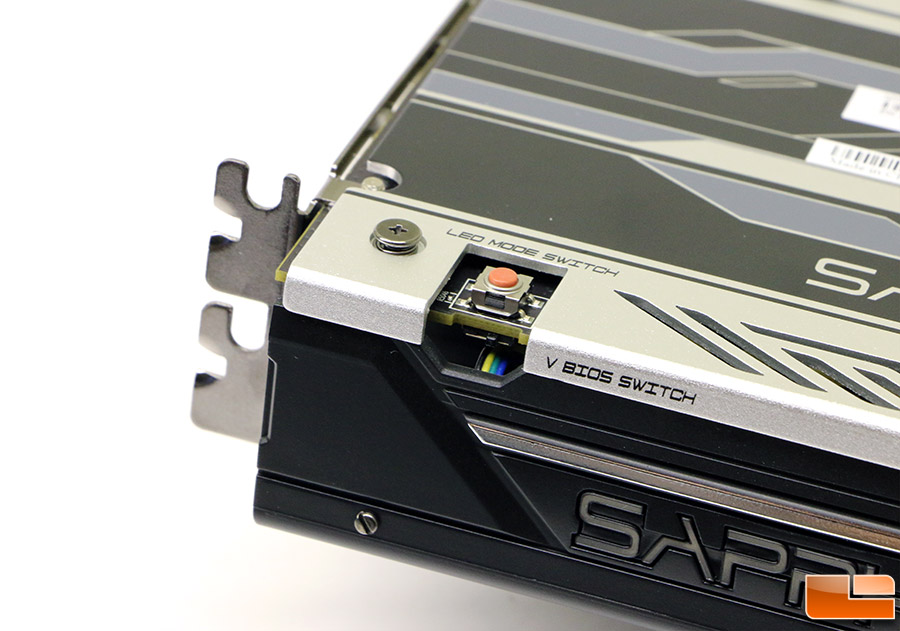
On the back of the Nitro RX 480 you’ll also be able to change the LED mode settings with a push button switch or vBIOS versions as this card ships with two BIOS versions. The LED mode switch will let you can choose from a set of six different modes including Sapphire blue, rainbow, PCB Temperature indicator, fan speed indicator, custom (set in TRIXX 3.0 software) or off.
Nothing is said on the landing page of this model about what specifics on the dual BIOS mode, but we were able to talk with Ed from Sapphire USA and he told us that the 2nd BIOS (the one closest to the IO panel) has a tighter fan profile and power profile that has been tweaked to better maintain power.
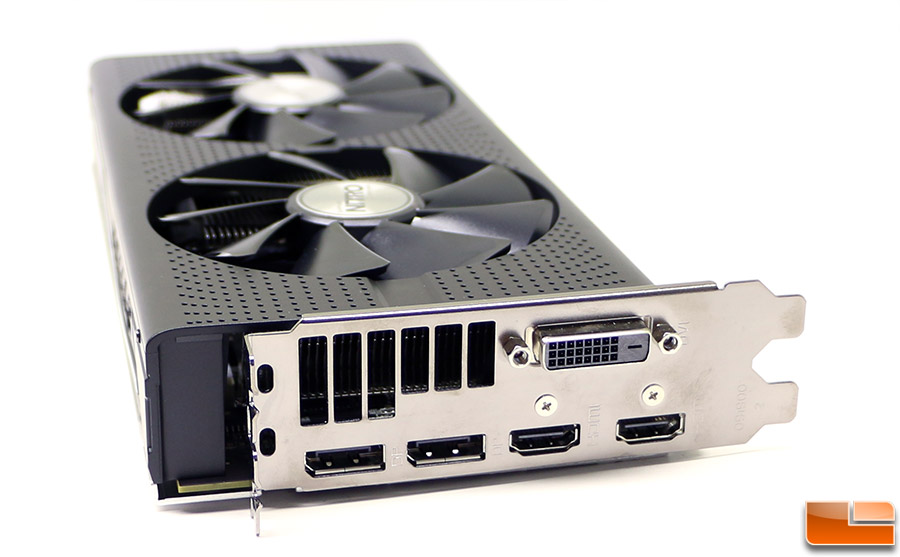
Sapphire went with two DisplayPort 1.4 outputs, two HDMI 2.0b and a Dual-Link DVI-D connector when it comes to video outputs. The HDMI 2.0 port does support 4K (up to 4096×2160) @ 60Hz! Sapphire does not include any DVI to VGA adapters or SLI bridges in the accessory bundle with this card, so just a friendly heads up there. We aren’t going to bother showing you the box or retail bundle as you just get a quick start guide and a driver disc (who really loads drivers from a CD-ROM these days anyway?). Notice that the card is higher than most as the fan shroud extends above the bracket and the dual-slot cards overall height is 120mm.
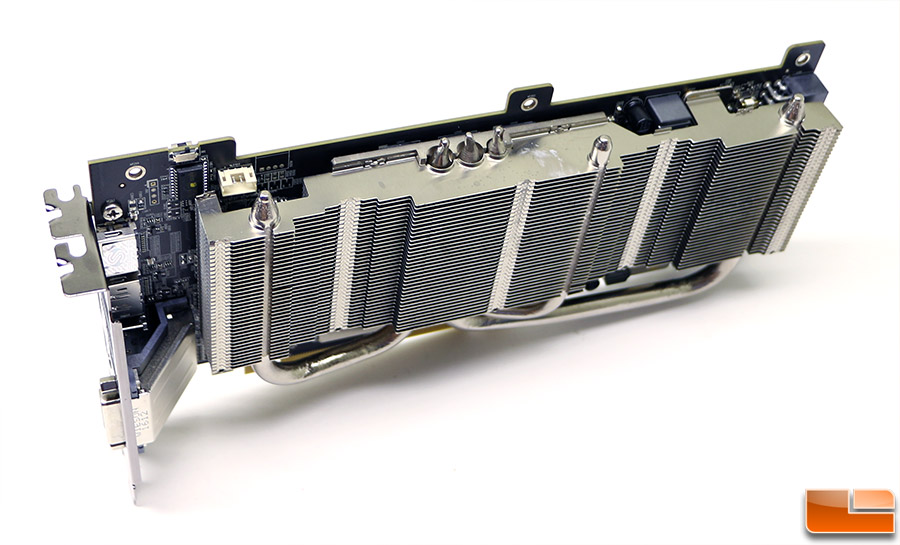
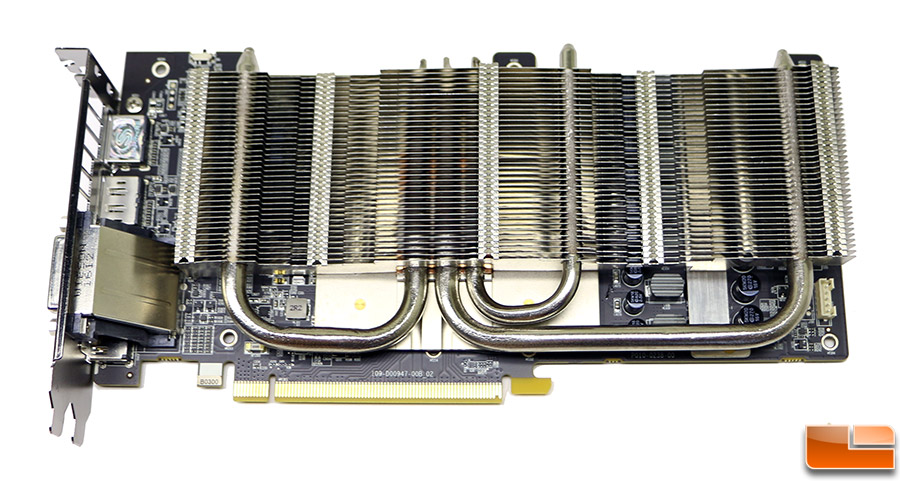
Here is a closer look at the heatsink Sapphire is using on the Nitro RX 480 and you can tell it’s massive compared to the small factory solution. This heatsink has several heatpipes and the cooler also makes contact with the power components, so it should greatly help the thermal performance of the card. The two larger heatpipes are 10mm thick! The Sapphire Nitro RX 480 4GB model that we are testing has a default temperature target of 75C and a semi-passive fan that doesn’t kick on until the temperature reached 52C.
The Sapphire Nitro RX 480 can be used with SAPPHIREs Overclocking Utility TriXX 3.0 for full control of the cards fans settings and temperature targets, so be sure to download that if you wanted to really dial in the card. The utility also allows you to manually adjust clock speeds, voltages, fan speeds, LED colors, and more.
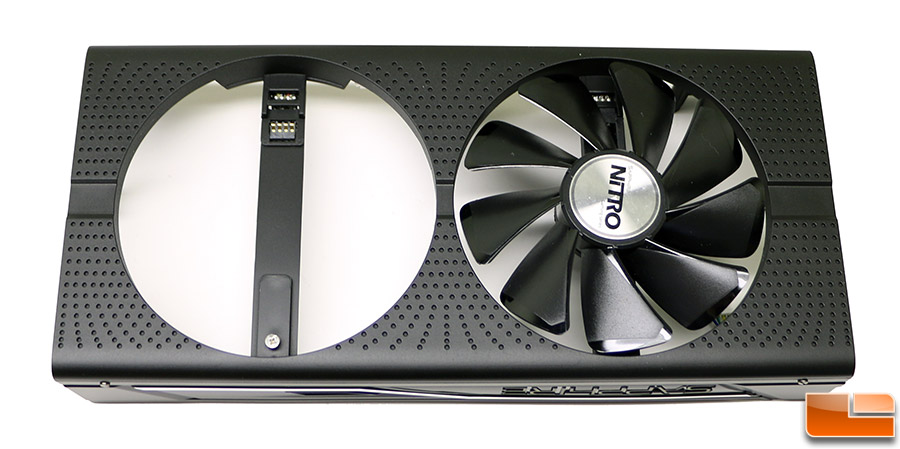
The graphics card cooler uses two 95 mm brushless cooling fans that feature dust-repelling dual ball bearings. The airfoil section blades help provide the airflow needed to keep this Polaris based GPU cool with lower noise levels versus smaller standard fans. The Sapphire Nitro+ Radeon RX 480 utilized ‘quick connect’ fan technology that allows you to remove one screw and then the fan can be lifted out at an angle away from the connection pins. This allows you to easily remove and clean the fans, but more importantly if a fan were to ever fail you could just get a replacement fan in the mail instead of an entire new card.
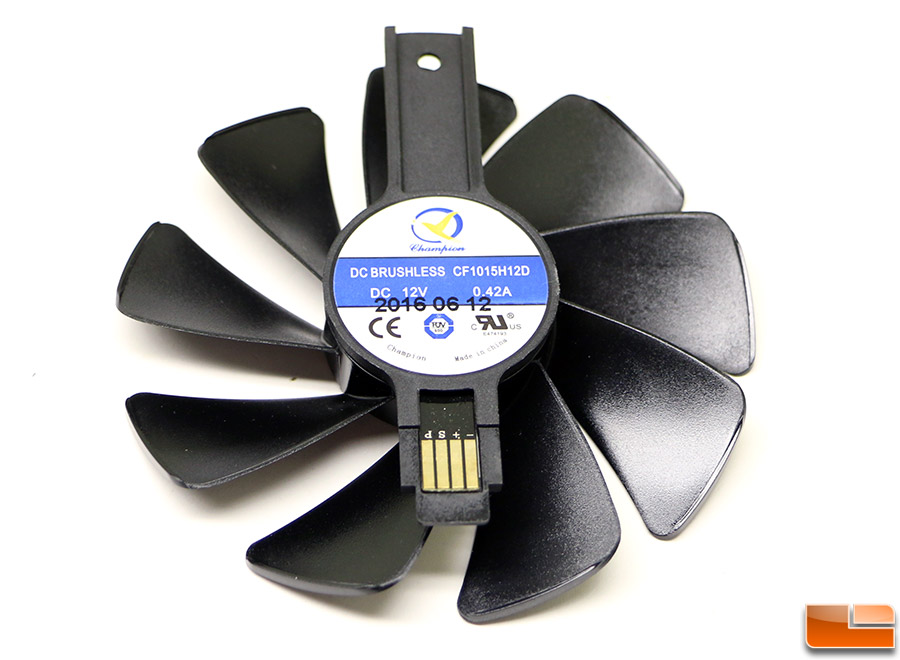
We removed the fans and found that Sapphire is using Champion DC Brushless CF1015H12D model fans that are made in China are the factory fans.
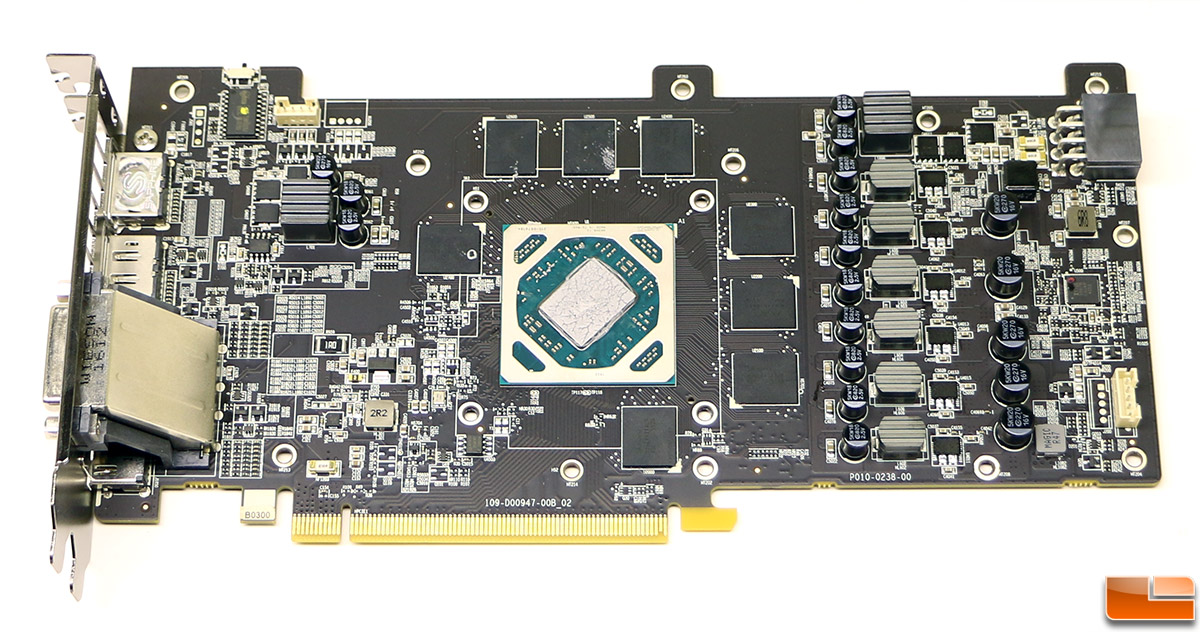
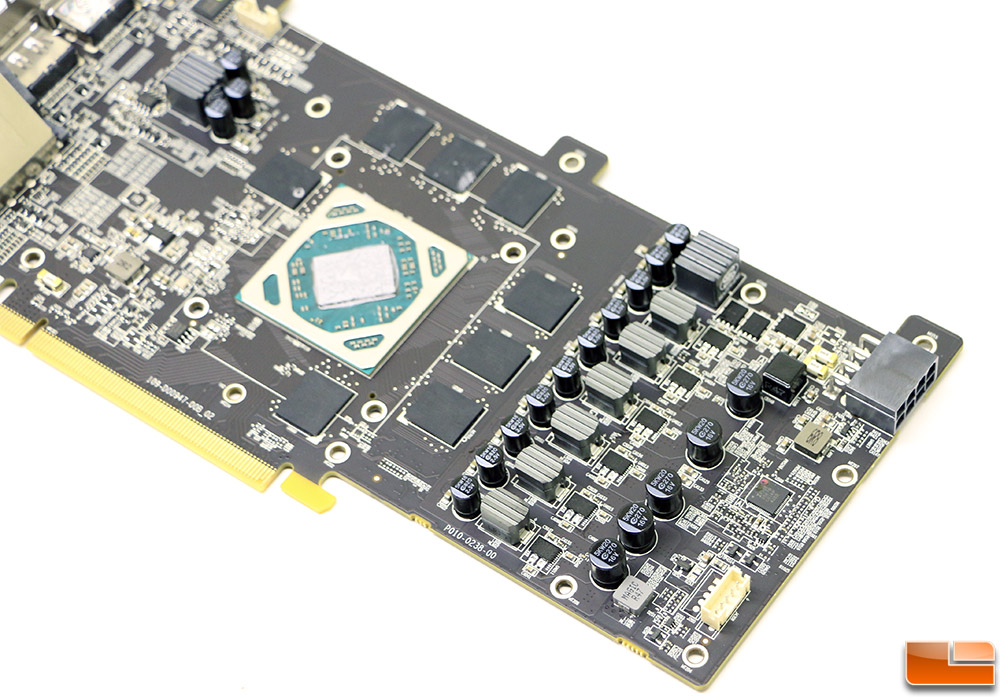
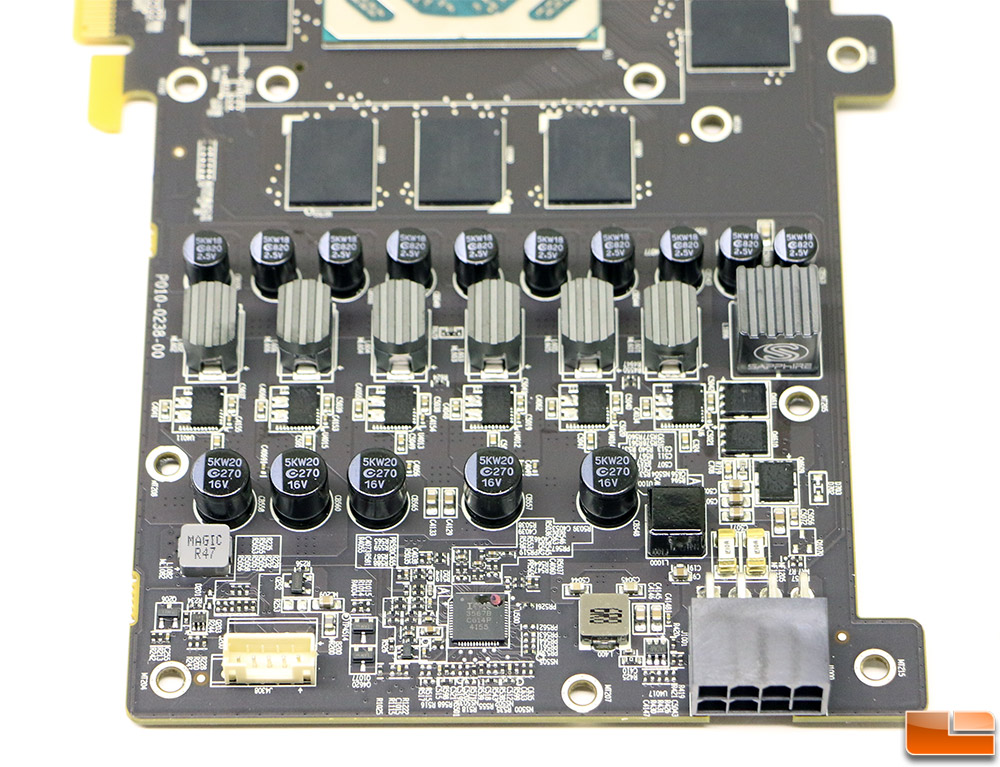
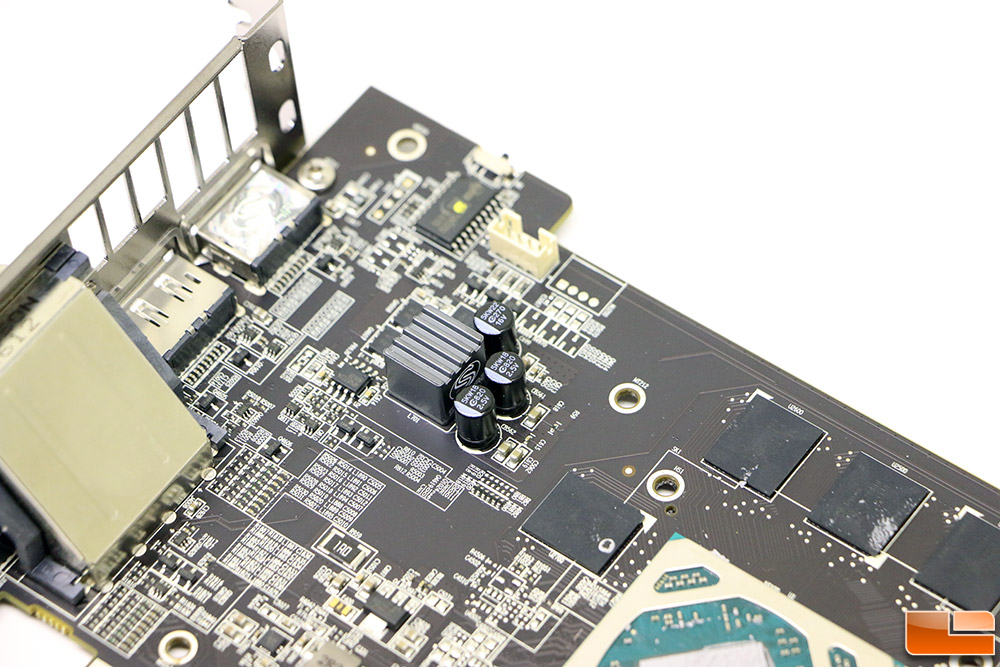
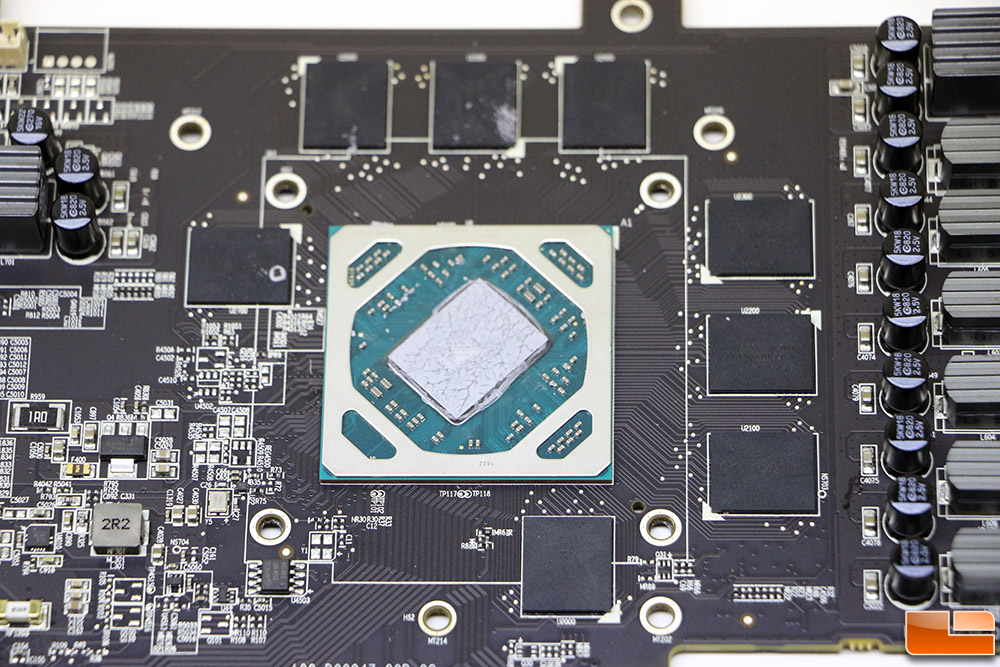
Our Sapphire Nitro Radeon RX 480 4GB video card is based on a pre-production design. We know this as it has a 6-phase power system for the GPU and we have been told by Sapphire that the retail cards will only have a 5-phase power system. One of the phases is supposedly disabled in the vBIOS, but we don’t know how to check that and if this will impact our power numbers or overclocking results.
Now that we have the basics out of the way we can take a look at the test system and get to the benchmarks!