Guardzilla All-In-One Video Security System Review

Jump To:


An Introduction To Guardzilla

Home automation is all the rage now and was a big area that was well represented at CES this year. Products are almost universally tied to mobile devices to allow home owners to interact with their residence from anywhere they have a cell or Wi-Fi signal. Home security is something that everyone needs as the FBI reports that every 14 seconds a home is burglarized and 90% of thieves will bypass a home with a security system. In other words, they go for the easy targets. Unfortunately, it can be extremely expensive to equip your home between the costs of the hardware and monitoring services. Guardzilla wants to make that task more affordable buy allowing the homeowner to do their own real-time monitoring. In essence, it’s a Wi-Fi enabled IP camera with software that allows the camera to act as a movement detector to send notifications to the user(s). We got a sample to see how well it works and lives up to the hype. I had some bumps in the road, most of which I was able to overcome and were not necessarily the fault of the Guardzilla product which I get into more in depth. Others still linger so keep reading if you want the details.
Guardzilla

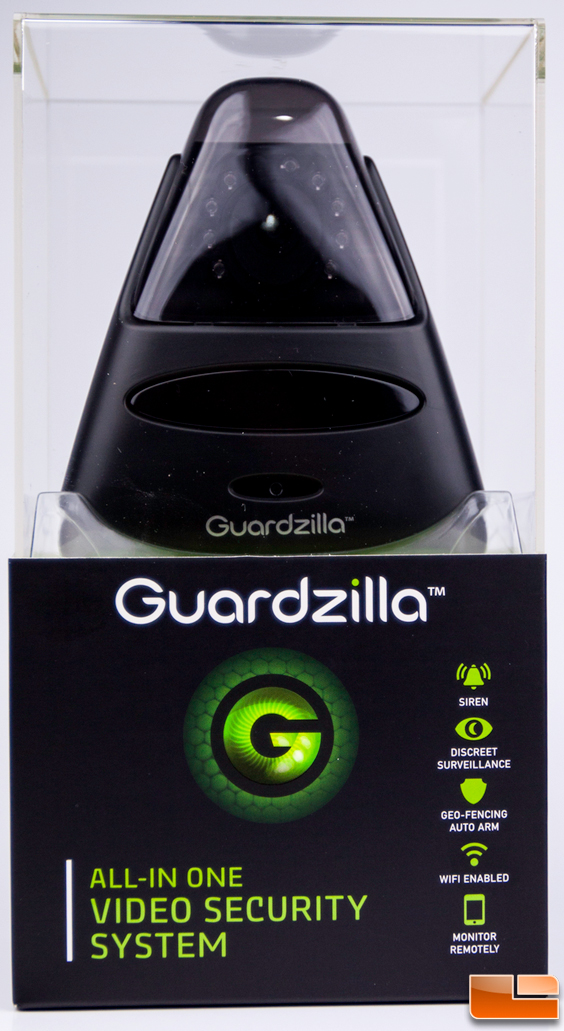
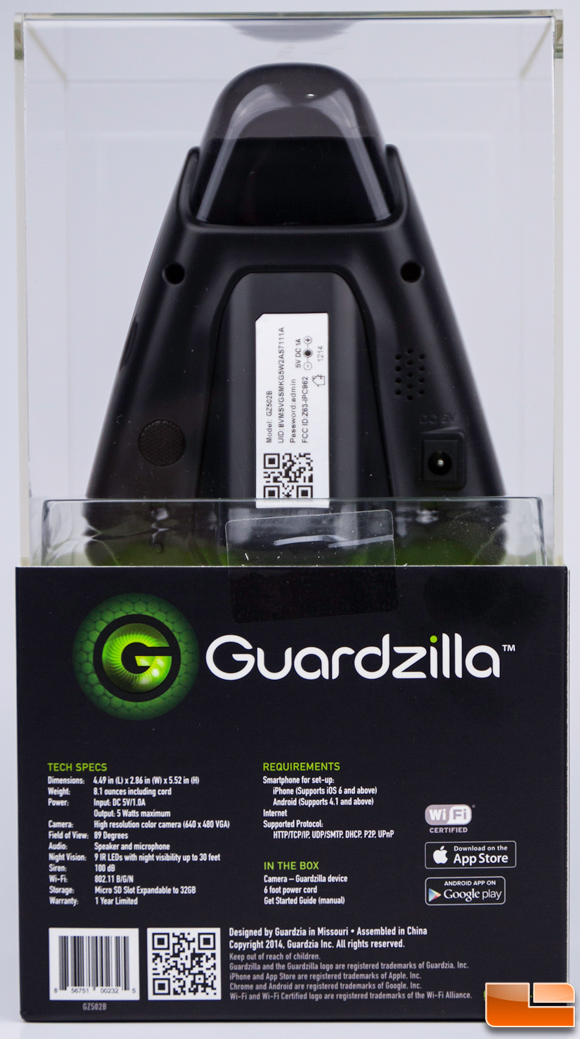
Guardzilla is found for sale exclusively at Best Buy for $99.99 with free shipping in your choice of white or black. though Best Buy runs sales often and likely it will show up for a bit less after it’s been on the market a bit. It has quite a long feature list with night vision, pet immunity, built-in siren, built-in speaker/microphone (more on this later), and a micro SD card slot. It comes in a package similar to that of a GoPro with the device in a display cube on top and the contents in a box underneath.
Guardzilla

Guardzilla Wireless All-In-One Video System Features:

  • Monitor from anywhere using your smartphone
  • No monthly fees
  • No installation, 5 minute setup
  • Wi-Fi enabled
  • Self-Monitored
  • Motion and audio detection
  • Siren alert
  • Video with night vision
  • Syncs with an iPhone and Android app
  • Email notifications sent to your phone
  • Multi-unit home solution
  • Pet immunity
  • Discreet security
  • Wide angle lens
  • 100DB siren
  • Built in speaker and microphone
  • Support for Apple and Android
  • Option to store additional video with SD card
  • 1 year limited warranty

Guardzilla Wireless All-In-One Video System Specifications:

  • Warranty Terms: Parts 1 year
  • Warranty Terms: Labor 1 year limited
  • Height: 10.04 inches
  • Width: 4.33 inches
  • Depth: 5.62 inches
  • Weight: 1.4 pounds
  • Color Category: Black (GZ502B) or white (GZ501W)
  • Additional Accessories Included: Power cord, extra lens, adjustable foot pads
  • Network Connectivity: Wi-Fi
  • Operating System Compatibility: Android / iOS
  • Remote Monitoring Capabilities: Yes
  • Camera Connectivity: Wireless
  • Color Display: Yes
  • Compatibility: Apple iOS and Android devices
  • Field Of View: 89 degrees
  • Image Sensor Type: CMOS
  • Indoor Or Outdoor Use: Indoor
  • Night Vision: Yes
  • Night Vision Distance: 30 feet
  • Number Of Cameras Included: 1
  • Number of IR LEDs: 9
  • Pan-Tilt-Zoom Functionality: No
  • Resolution: 640 x 480
  • 3-Axis Adjustable: No
  • ENERGY STAR Certified: No
  • Auto-On Detection: Motion
  • Cable(s) Included: Yes
  • Camera Iris: Fixed
  • Day/Night Mode: Yes
  • IP Camera: Yes
  • Optical Zoom: No
  • Records Audio: No
  • Smartphone Compatible: Yes
  • Water-Resistant Housing: No
  • UPC: 856751002325

Guardzilla Contents

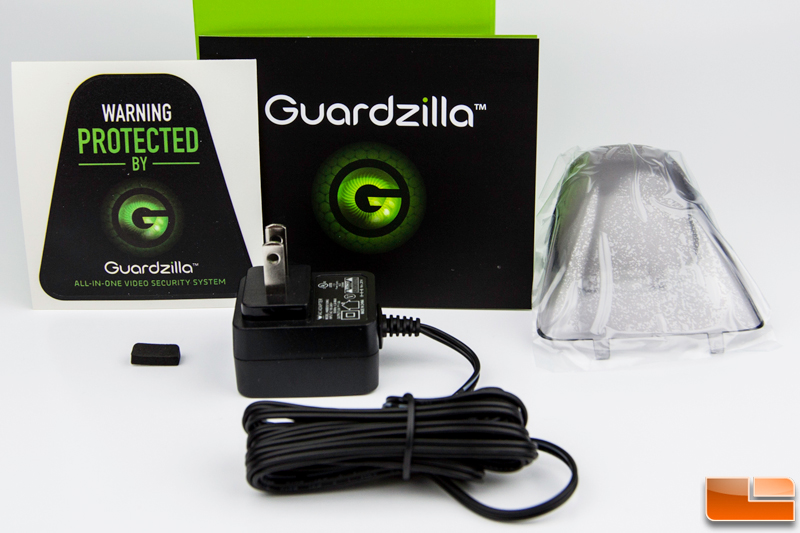
In the packaging we find the AC adapter, an extra clear plastic camera shroud lens, an extra foam foot pad for changing the camera angle, and a sticker to ward off those with ill intent.

Documentation comes in the form of an amateurish setup video (seen above), a short guide and tips plus FAQs from Guardzilla’s site, and the wizard in the app that guides you through the setup. All in all, the available documentation could be more comprehensive as I found several bits of information lacking as I’ll talk about later.


Print
Jump To:
  • I Hate Guardzilla

    This camera sucks!!! I have the same issues as the people below. But now I just got a message that says sim card removed and I am at work! The sim card was $25 and never worked. Never recorded. I will try and return this crap….I hope no one has broken into my house!!!!

  • frustrated customer

    faced too many problems with this camera already . I might as well buy an expensive one that works.
    This camera is unreliable..when i am out and about and want to see whats going on at home, it takes forever to load and usually ends up not loading at all. Got too frustrated with this camera. I also called the support hotline, but waited an hour and no one picked up. I am moving on to another camera. byebye guardzilla

  • Anonymous

    I’m disappointed. You have to get very close to this camera to set off the motion sensor and even then, if you walk too quickly, it won’t see you. I got numerous notifications that motion was detected but out of all of the pictures taken, nothing was shown. I tested it when I got home with the same problem. I walked slowly through the room and was able to set off the motion sensor. However, when I checked the system files there was nothing in any of the pictures. I am confident that there was someone in my room when I got the notifications but can’t tell who it was. That’s just not helpful.

  • adam trudeauam

    Don’t waste
    your time with buying one of these cameras it has a major defect in it, when
    it’s in continues record mode it just stops recording footage to the 32
    gig micrsSD card in it and give s no error that it has stop recording
    footage at all . As well as the maker know this issue exist and has no
    work around or resolution to the problem at all. I Call tech support at 1-314-219-8499
    and left message for helpless desk manager to
    call me back the next day. A level one tech support rep said they would
    and never did, played phone tag with another manager for a week and after
    getting in contact with the them they didn’t even know what technical issue I
    was talking about either. He gave me one excuse after another about not calling
    me back since the other help desk managers kid was in the hospital, whatever
    that has to do with it. After I mailed them back the defective guardzilla
    camera at my own cost they refused to mail me a refund check and my
    only recourse was to file a bbb complaint in the state of Missouri to try and
    get my money back if possible. So you might want to pass on this pos camera!

  • Trevor Smith

    My problem with the units are: I have the setting for recording set to continuous. It is common that when I check if the units are still recording they are not. The setting changed from continuous to off. Plenty of storage on the sd card.

    Another problem: I can quickly walk up to the units and unplug them before the motion detection even knows I was there with no notification sent. Of course I just look at the history of the recorded video and see who unplugged them. But that is useless.

    If the units are unplugged and then plugged in again the unit will not return to its last recording setting.

    If there are any fixes to these problem I would greatly appreciate it.

    If I did not have hidden surveillance systems this would have been a serious problem. I have a person who is taking, searching, and just doing things that I might decide to press charges against. Only if they don’t get out of my life soon. Trying to be patient and hoping.

  • Lydia

    What kind of cameras does it take to add to the one I have ? or do you have just the one ?

  • miken96

    I cannot get it to format a memory card. I inserted it correctly, it is a working card, yet I cannot format it and it reads as zero MB available and zero MB free.? There is only one way to insert the card, and the card is good??? ANY help would be appreicated

    • Trevor Smith

      I have had allot of problems with these units. For your problem do this:
      1. Unplug the unit and wait 30 sec. (insert the sd card) 2. On your phone long force stop the app. 3. plug in the unit. wait! for 5 min. to go by. You will see a solid green light then a blinking green and finally a solid green light. 4. Open your app on your phone up. Wait for your phone to find the unit assuming you had it paired already. 5. Your chip should be recognized with amount of memory available and used. Now format your sd card.

      These units are very slow. And do not move the units hardly at all. When I did while moving the unit into place it screwed up the system and I had to start over with steps listed above.

  • Bottoz

    A “Night Vision” screen shot at 1 in the afternoon? That’s not really legit.

    Also, you can get a PTZ H.264 IP Cam with 720p resolution for less than $100 that has all the features this camera has, plus User Accounts, Firewall, IP Filtering…

    I’m not trying to bust your balls, but this camera seems to be way overpriced and skimping on features other IP cameras have.

    • Nathan Kirsch

      Bottoz – We will most certainly update that image for you. I asked Joe to add in day and night images, but you are right it needs to be totally dark. Easy fix and your additional comments are speaking the truth and not busting our balls by any means!

      • Bottoz

        Thanks. I look forward to seeing the night image. Good Job.